Shops: what each region has, and how to reveal them
Checked against Need for Speed: Underground 2 1.2 · November 6, 2026
Every upgrade in Need for Speed: Underground 2 comes from a shop, and a shop shows on the map only after you have driven past it. Miss one, and the performance, body or graphics parts it sells stay out of reach until you stumble on it. There are 18 shops in five regions. The editor shows how many you have found and can mark a region’s shops as found, the way the game does when you discover them.
The 18 shops, by region
A region’s shops open with its stage. The first region is open from the start, and each new stage opens the next:
- City Core (stage 1): performance shop, two body shops, graphics shop and car specialties shop.
- Beacon Hill (stage 2): performance shop, body shop, graphics shop and car specialties shop.
- Jackson Heights (stage 3): body shop and graphics shop.
- Coal Harbor East (stage 4): performance shop, body shop, graphics shop and car specialties shop.
- Coal Harbor West (stage 5): performance shop, body shop and car specialties shop.
The performance shops sell engine, drivetrain, nitrous and weight parts. The body shops sell bumpers, skirts, spoilers, hoods and rims, the graphics shops sell vinyls and decals, and the car specialties shops sell gauges, trunk setups, neon and the other extras.
How to find a shop in the game
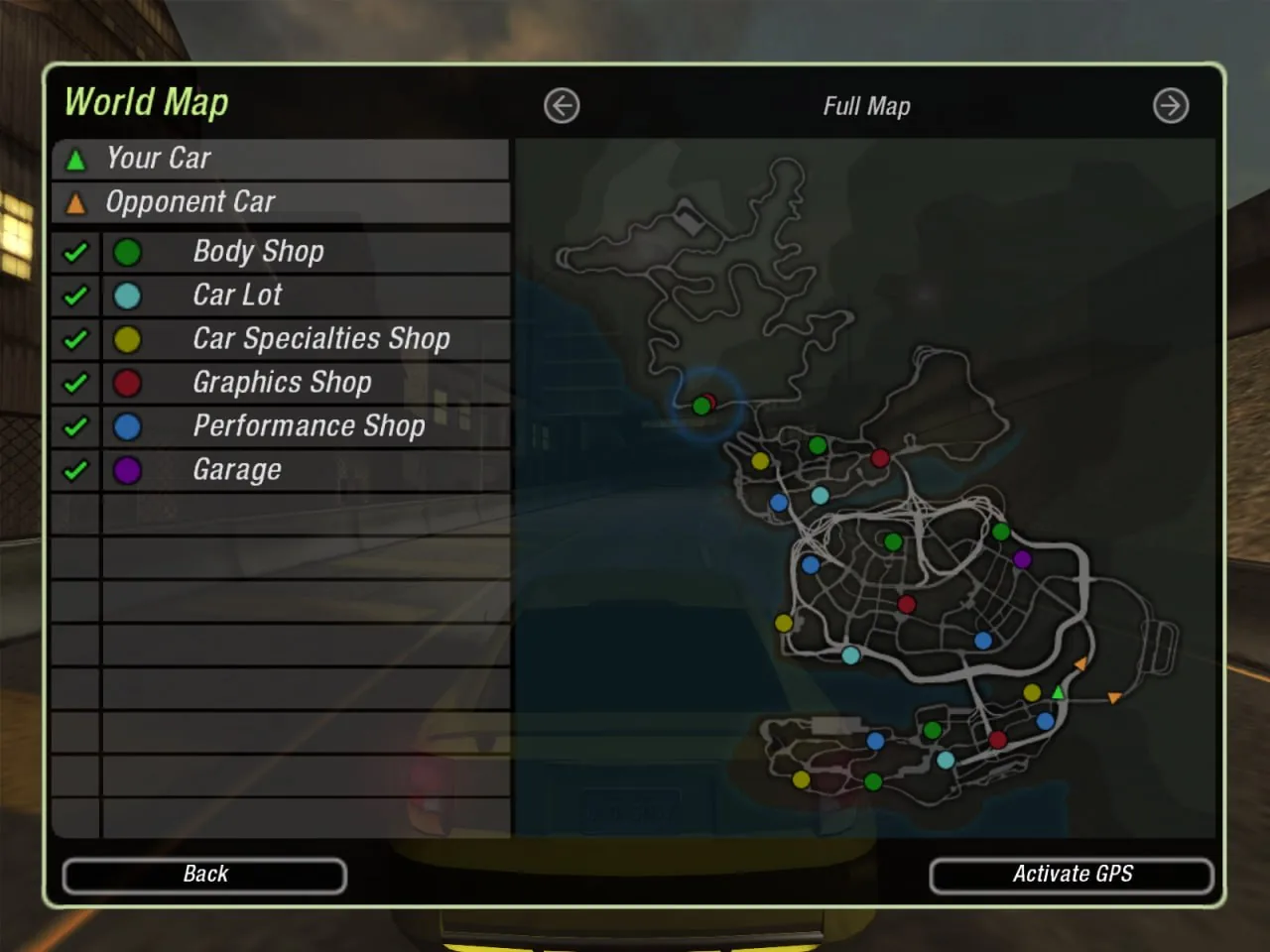
- Shops are marked by neon lights in the street, coloured by shop type: performance shops glow blue, body shops green, graphics shops red and car specialties shops yellow.
- Each shop gets a dot on the map in the same colour as its lights, but only once you have driven past it. Cruise each region with the map open and the dot appears as you go by.
- On the map, highlight a shop type and use the filter button to show only that type, on the map and on the radar. It cuts the clutter of races when you are looking for one kind of shop.
- The purple tip icons around Bayview pay $25 and send a text message with a tip. Some of the tips are about shop locations, so it is worth driving through them.
- Look in the right region. A shop in a region you haven’t reached can’t be found yet, and the performance, body and graphics shops each have their own place in every region that has one.
If you have driven a region from end to end and one shop is still missing, reveal it in the editor below.
Reveal a region’s shops in the editor
- Close the game and copy your profile file somewhere safe. It is in C:\Users\<you>\AppData\Local\NFS Underground 2\<profile>\, named after the profile with no extension.
- Open it in the editor and go to the Career tab. The Shops card lists each region with how many of its shops you have found.
- Click Reveal next to a region, or Reveal all for every region open at your stage. A region you haven’t reached yet is greyed out.
- Download the file, put it over the original with the same name, and load the career. The shops are on the map.
Revealing a shop only puts it on the map. The parts it sells still depend on your stage, and the Garage tab can fit any part the shops list for your car.
What it does not do
- It doesn’t open a region early. Regions follow your stage, which opens as the game’s sponsors sign you. The stuck on a race guide covers moving the stage along.
- It doesn’t spend or give money. The bank is on the Career tab.
This is for your own offline single-player play. The editor makes no backups and edits are at your own risk.